
API Authentication
Vellosim uses API key authentication to secure all API requests. Your API key identifies your account and authorizes access to the API endpoints.Getting Your API Key
Follow these steps to generate your API key:1
Sign Up / Login
Create a merchant account at vellosim.com and log in to your dashboard
2
Navigate to Developer Section
Go to the Developer section in your dashboard sidebar
3
Generate API Key
Click the “Generate API Key” button
4
Save Your Key
Copy and securely store your API key - it will only be shown once!
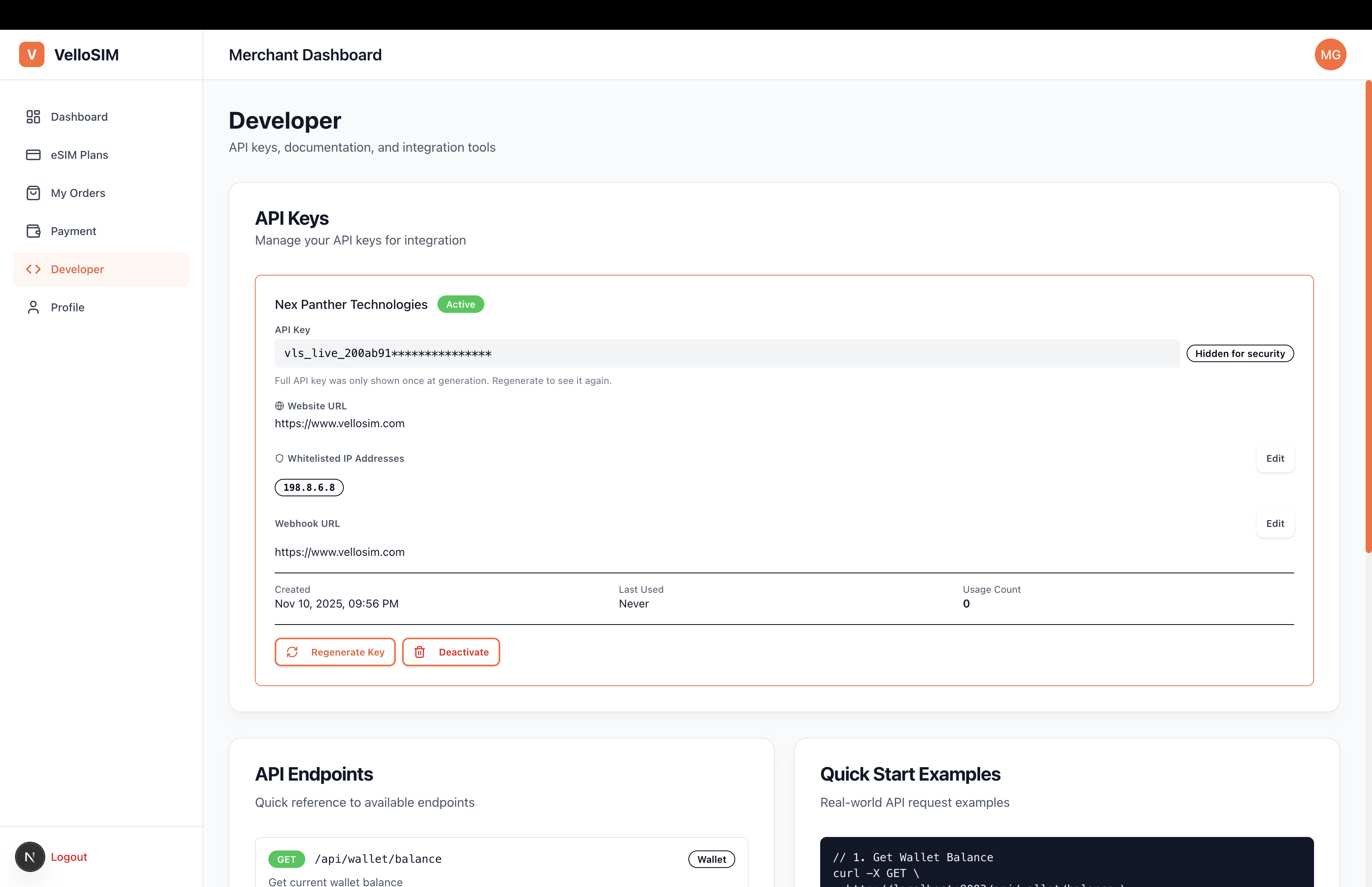
Required Information
When generating your API key, you’ll need to provide:- Company Name - Your business or organization name
- Website URL - Your website (must be accessible)
- Whitelisted IPs - IP addresses allowed to use this API key (1-10 addresses)
- Webhook URL (Optional) - URL to receive event notifications
Using Your API Key
Include your API key in theX-API-Key header of every request using the API Key format:
Example Requests
Environment Variables
Store your API key in environment variables to keep it secure:Authentication Errors
If authentication fails, you’ll receive an error response:Best Practices
Use Environment Variables
Use Environment Variables
Never hardcode your API key in your source code. Always use environment variables or secure configuration management.
Rotate Keys Regularly
Rotate Keys Regularly
Periodically rotate your API keys to maintain security. You can generate new keys from your dashboard.
Use Different Keys for Environments
Use Different Keys for Environments
Use separate API keys for development, staging, and production environments.
Monitor API Usage
Monitor API Usage
Regularly check your API usage in the dashboard to detect any unusual activity.
Server-Side Only
Server-Side Only
Only use your API key in server-side applications. Never expose it in client-side JavaScript, mobile apps, or public repositories.
Rate Limiting
To ensure fair usage and system stability, API requests are rate-limited:- Standard Plan: 100 requests per minute
- Premium Plan: 500 requests per minute
- Enterprise Plan: Custom limits
Next Steps
Making Requests
Learn how to structure your API requests
Error Handling
Handle API errors gracefully